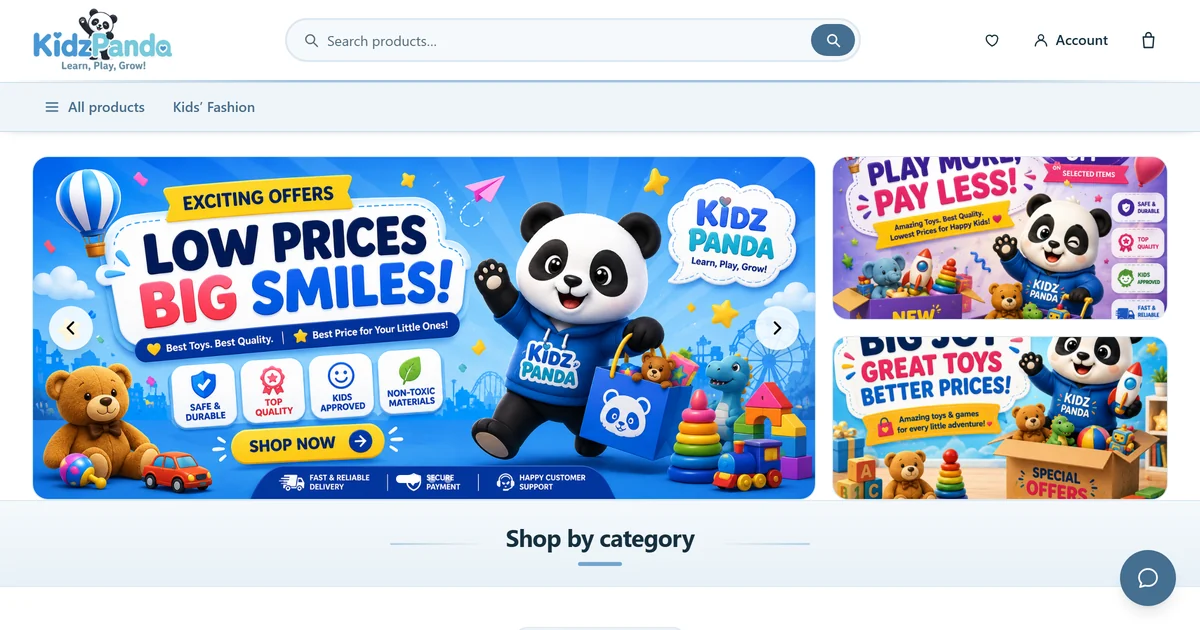
We built KidzPanda a single-page WooCommerce storefront on a platform with no server runtime — then built it so the next store is an admin-panel job, not a fork.
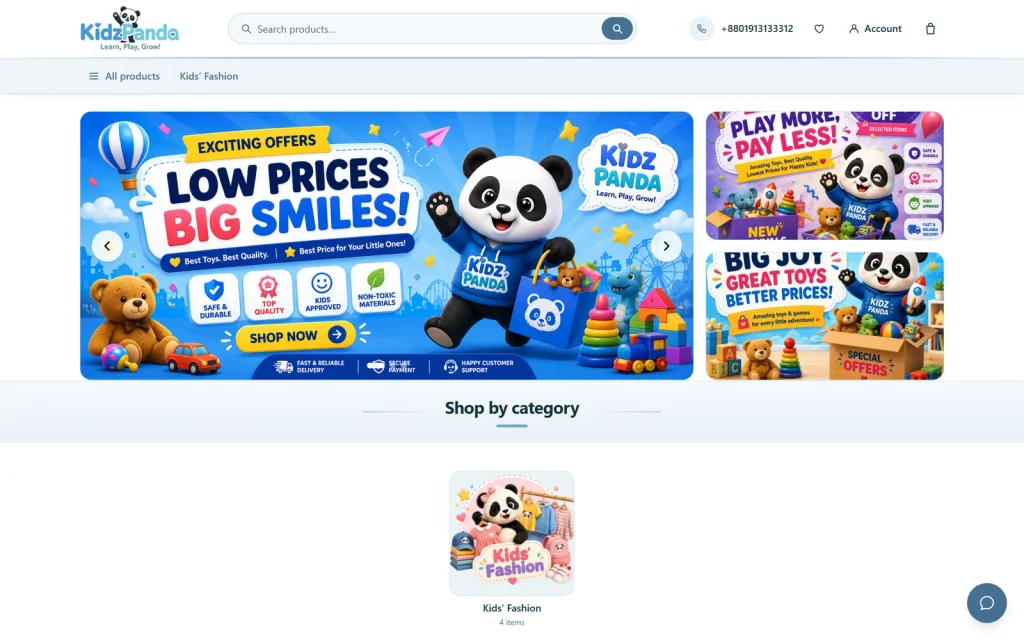
Project
| Client | KidzPanda — kidzpanda.shop |
| Developed by | Februne — februne.com |
| Category | E-commerce · Children’s fashion · WordPress storefront |
| Services provided | Software development · Product design & engineering · React front-end · WooCommerce integration · Performance engineering · Technical SEO |
| Build window | 10 August – 2 September 2026 |
| Market | Bangladesh · BDT · SSLCommerz, bKash, Nagad, cash on delivery |
Overview
KidzPanda is a children’s clothing retailer in Bangladesh — baby and toddler fashion, sold online, with the tagline “Bringing Smiles to Every Child”. They needed a storefront that felt as quick and modern as the apps their customers already shop in, on a stack their team could actually operate.
Februne is a product studio. We build the software a business runs on, which in practice means we care as much about who maintains a thing after launch as about how it looks on the day. That shaped the whole engagement: KidzPanda’s team knows WooCommerce, so WooCommerce keeps everything it is good at — products, variants, stock, tax, shipping, orders and payments — and we replaced only the layer the customer actually touches.
The result is Ra Store: a complete storefront — homepage, catalogue, product pages, cart and checkout — running as a single React application served from a WordPress theme. And because we made every client-specific value a runtime setting rather than a line of code, what began as one shop’s storefront became something we can stand up for the next client in an afternoon.
What follows is the engineering, including the parts that went wrong. The interesting problems here were not the features. They were the constraints the platform imposed, and what it took to satisfy them without asking a clothing retailer to run infrastructure they have never heard of.
The Challenges
A single-page experience on a platform that runs only PHP. Shoppers expect a storefront that responds instantly and never full-page-reloads between a category and a product. Shop owners want the WooCommerce admin, because that is what they work in every day. Reconciling those meant a React front end — but React’s usual answer to slow first paints, server-side rendering, needs a Node process running beside the site. No shared WordPress host provides one, and no clothing retailer should have to maintain one.
A brand colour that could not legally carry text. The direction arrived mid-project and was explicit: use #71a6ce, keep it to white plus that one colour, make it modern and smooth. That colour measures 2.61:1 against white — nowhere near the 4.5:1 that body text and button labels require. Half the interface could not be painted in the only colour we had been given.
A checkout that had to hold against more than a careless shopper. Name, mobile number and address had to be guaranteed before an order could be confirmed — a real operational need for a store delivering physical goods, often cash on delivery. Form validation alone guarantees nothing, because the WooCommerce Store API accepts posts directly and does not care what the React form thinks.
A storefront worth building twice. KidzPanda needed one shop. Februne needed the work to be worth more than one shop. Every future client would bring a different currency, country, phone format, payment gateway, colour and set of contact details — and maintaining a separate branch per store is how a theme becomes unmaintainable by its third customer.
The Solutions
We treated each constraint as a design problem rather than something to work around. Eight decisions carried most of the weight.
Server-rendered content in PHP, not React SSR. React cannot be server-rendered here, so we stopped trying to. Instead the theme renders the real page in PHP — breadcrumbs, image, title, price, stock, categories, description — directly into the container React is about to mount into. A crawler that never executes JavaScript now receives a headed, linked, priced page instead of an empty <div>. The markup deliberately mirrors the React components’ own class names, so the handover is not a visible reflow.
Initial state inlined into the document. A single-page storefront normally boots through a request waterfall — parse the bundle, fetch configuration, fetch the product, then paint — and every hop is time the shopper spends watching a spinner. We resolve those same REST routes in-process with rest_do_request() and inline the JSON into the page head. React seeds its cache from it and renders complete content on its first commit. That removes two round trips from the largest-contentful-paint path, at a cost of roughly 17 kB of data the browser was going to request anyway.
A colour system with one input. Rather than offer five colour pickers and hope the five chosen agree, the Customizer exposes one. Every other tone is mixed from it in CSS at paint time: the interactive colour is the brand pulled toward a fixed deep navy until it clears the contrast threshold. One picker recolours the entire store, and the result is contrast-safe by construction rather than by review.
A critical stylesheet and boot shell. On slow connections the storefront could flash as unstyled markup — a caching plugin that loads CSS asynchronously removes the guarantee that nothing paints before the stylesheet arrives. We inline a hand-written critical stylesheet plus a header-and-tab-bar shell matching what React is about to render, inside a CSS cascade layer declared before the bundle. It styles the boot page, then permanently steps aside.
Serialised cart mutations. The Store API recalculates the whole cart on every request, so two in-flight quantity changes can resolve out of order and leave the shopper looking at a total that was already superseded. Cart writes now run through a promise queue that survives rejections. The server owns the cart; the client is a mirror that only ever displays totals WooCommerce calculated.
Checkout validation in two layers, only one of which counts. The React form validates with a Zod schema so the shopper gets immediate, per-field feedback. The actual gate is a PHP hook that throws before the order is created and before payment is taken — because client-side validation is bypassed by anyone posting straight to the API. The mobile number pattern is itself a setting, with presets for Bangladesh, India and North America plus a custom field that is validated on save, so a typo in the admin cannot lock a store out of its own checkout.
Everything client-specific moved to runtime configuration. Currency, address fields, phone rules, payment methods, slider content, colours and contact details are all read from the database. There is no client-specific code in the theme and therefore no branch to maintain per store. Unset values hide their own interface rather than rendering an empty panel.
Content that makes no claims we cannot support. We left out trust badges — “free delivery”, “100% genuine” — because they are claims about a shop’s operations that a theme cannot verify on the owner’s behalf. The related-products row is titled “Popular in {category}” rather than “People also bought”, because the Store API has no purchase-correlation data and the second phrasing would have been invented. A testimonials block was scoped and then dropped for the same reason; product reviews shipped instead, because WooCommerce has a real endpoint for them.
Final Results
A clean accessibility and best-practices score on every route. Measured with Lighthouse in headless Chrome under mobile emulation:
| Route | SEO | Accessibility | Best practices |
| Home | 100 | 100 | 100 |
| Shop | 100 | 100 | 100 |
| Category | 100 | 100 | 100 |
| Cart | 100 | 100 | 100 |
| Checkout | 100 | 100 | 100 |
| Product | 92 | 100 | 100 |
Measured 16 August 2026. The product page’s 8 SEO points are two links inside a demo product’s placeholder description — catalogue content, not theme markup.
A first paint that no longer waits on the network. Product-page boot went from “parse bundle → fetch configuration → fetch product → paint” to “parse bundle → paint”. The shipped bundle is 114 kB gzipped for the shared entry, with every route split into its own chunk — the checkout’s 29 kB is never downloaded by someone browsing the catalogue, and the carousel library that used to ship to every route now loads only on the homepage.
Contrast that is correct by construction. The palette work also caught a live failure: secondary text was set in #6a8496, which measures 3.92:1 on white and 3.43:1 on the tinted section bands — both under the minimum. It moved to #556f80, which clears 4.5:1 on all three surfaces the storefront uses.
| Muted text | on #ffffff | on #f5f9fc | on #e8f1f7 |
| #6a8496 (was) | 3.92 | 3.70 | 3.43 |
| #556f80 (now) | 5.29 | 4.99 | 4.62 |
WCAG 2.1 contrast ratios, sRGB relative luminance. 4.5:1 is the minimum for body text.
A storefront that verifiably holds together. Every route was rendered in headless Chrome at 320, 375, 768 and 1366 px — home, shop, category, product, cart, checkout, search and 404. At every width there is no horizontal overflow, and the console is clean on every route. The sticky buy bar, the share panel’s eight targets and the add-to-cart behaviour were each asserted in the browser rather than eyeballed.
And a product line rather than a one-off. Handing the same storefront to the next client is a checklist of admin screens: site identity, one brand colour, currency and country, phone format, contact details, slides, and whichever payment gateways they use. No code is touched, and no build step runs on the server — the compiled front end ships with the theme, so deployment is a file copy and a permalink flush.
Key Features
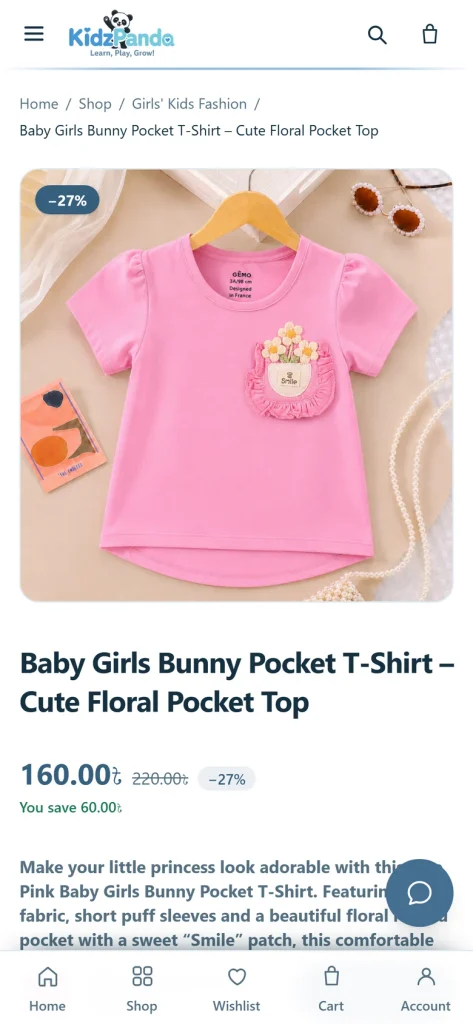
- Single-page storefront. Homepage, catalogue, product, cart and checkout with no full-page reloads between them.
- AJAX cart drawer. Add to cart without leaving the grid — the cart icon and mobile tab bar animate as confirmation instead of interrupting with a panel or a toast to dismiss.
- One-page checkout. Adapts its currency, address fields, phone rules and payment methods to whatever the store is configured for.
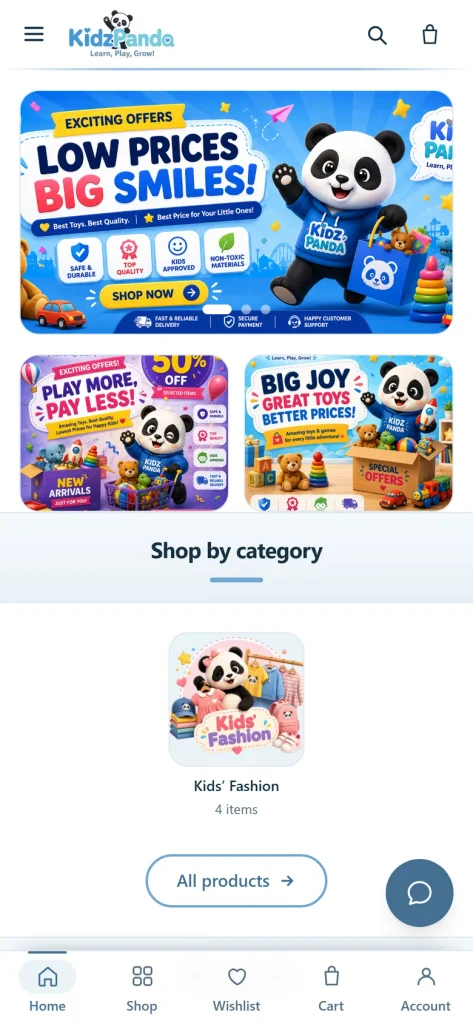
- Admin-managed hero slider. Slides as a custom post type with image, headline, alignment, overlay and ordering; a slide with no image is skipped rather than rendered blank.
- Product variants. Full WooCommerce variable-product support, with per-variant price, stock and imagery.
- Wishlist and product reviews. A persistent wishlist, plus reviews drawn from WooCommerce’s own approved-review endpoint.
- Mobile-first navigation. A bottom tab bar within thumb reach, and a sticky buy bar that appears only once the real buy row has scrolled away.
- Order by WhatsApp or phone. Buttons carrying the product name, quantity and link — shown only once those numbers are set.
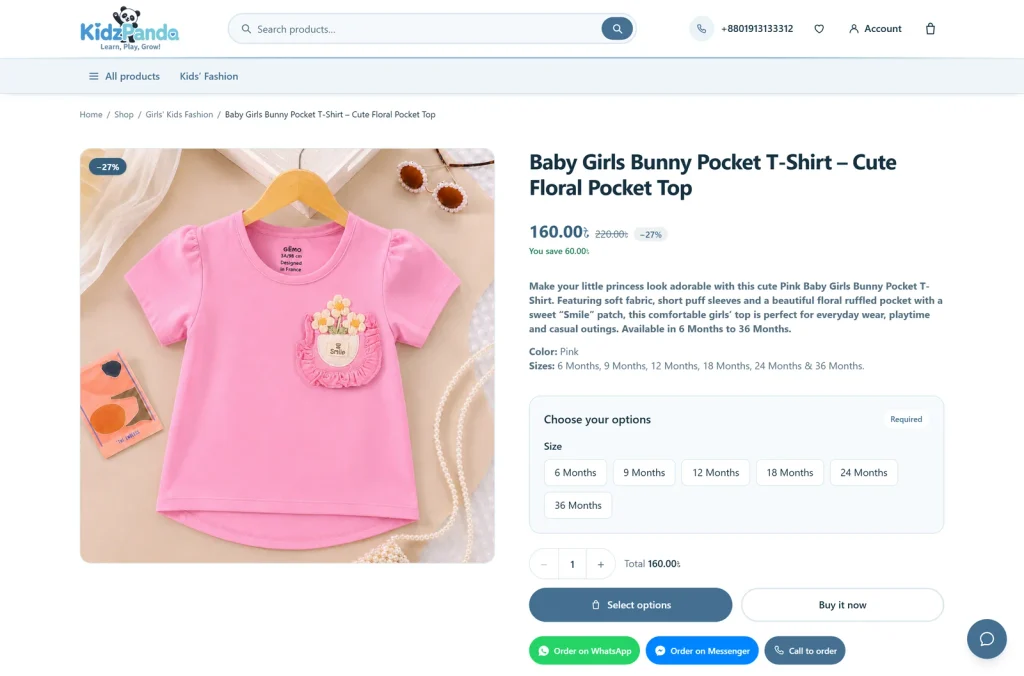
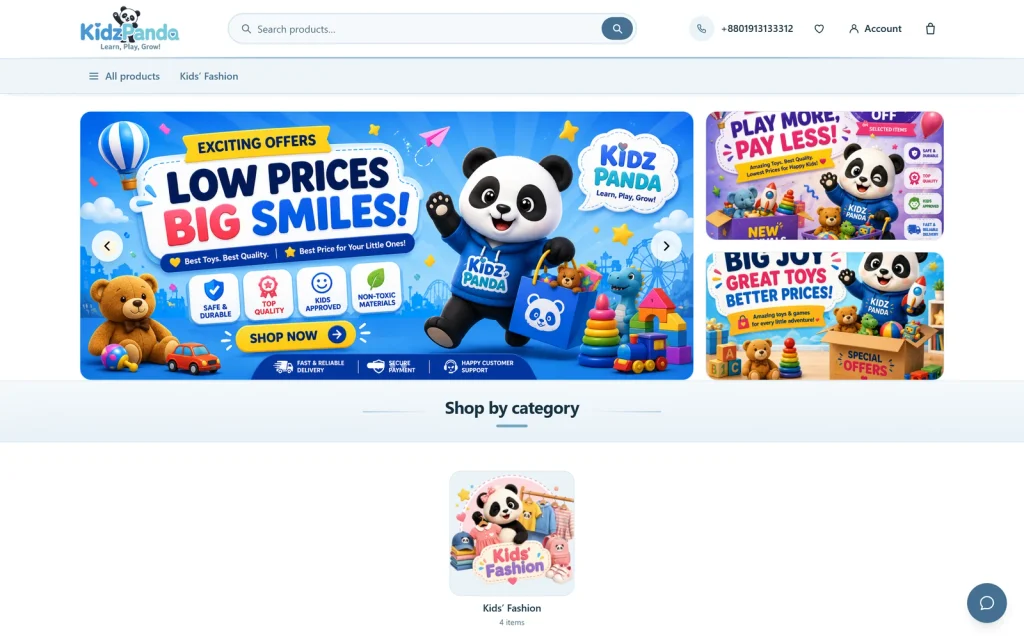
Technologies We Used
React 19. The entire customer-facing storefront is a React application, code-split per route so no page pays for the ones a visitor never opens.
Vite 6 and Tailwind CSS 4. Vite builds the bundle and provides hot reloading against a live WordPress install during development. Tailwind’s cascade layers are what let the inlined boot stylesheet coexist with the compiled one without ever fighting it for specificity.
WooCommerce Store API. Products, categories, cart, coupons, shipping rates and order placement all go through WooCommerce’s own REST layer, authenticated with a nonce and carrying the session cookie — so the cart survives reloads and stays attached to logged-in customers.
Zustand and TanStack Query. Zustand holds cart state as a queued mirror of the server’s cart. TanStack Query manages catalogue fetching and caching, and is seeded directly from the state inlined into the document at first paint.
React Hook Form and Zod. Checkout form state and schema validation, giving per-field feedback in the browser — backed by independent enforcement in PHP.
WordPress Customizer and REST API. Every configurable value is a Customizer setting, and a small set of custom REST routes serves store configuration, slider content, payment methods, menus and related products alongside the Store API.
Why KidzPanda and Februne Were a Good Match
The temptation on a project like this is to promise server-side rendering and quietly deliver something less. We would rather be precise. Server-rendered metadata is complete — canonical tags, Open Graph, Twitter cards, and Product, BreadcrumbList, ItemList and Organization structured data, so a shared product link unfurls with its real price and stock status. Server-rendered visible content is transitional: enough for a crawler and for first paint, not a full SSR tree. Genuine end-to-end rendering is a Next.js project, not a WordPress theme, and saying so plainly is more useful to a client than blurring it.
KidzPanda wanted a storefront that felt like an application without giving up the admin their team already knows. That is a well-posed problem, and well-posed problems are the ones worth taking. They got a shop that runs on hosting they already had, is operated entirely from WooCommerce, and can be recoloured and reconfigured without a developer opening an editor.
Launch is the middle of the job, not the end of it — and this one was built so the middle is cheap.
Februne — februne.com · Built for KidzPanda · September 2026